Start with FIRST SESSION. Everything after that is reference - you do not need to set up every feature on day one.
________________
FIRST SESSION
Before you log in
1. Create your website account, then make at least one game character from the account dashboard.
2. Download the RSCRevived client and sign in with that account.
Your first ten minutes
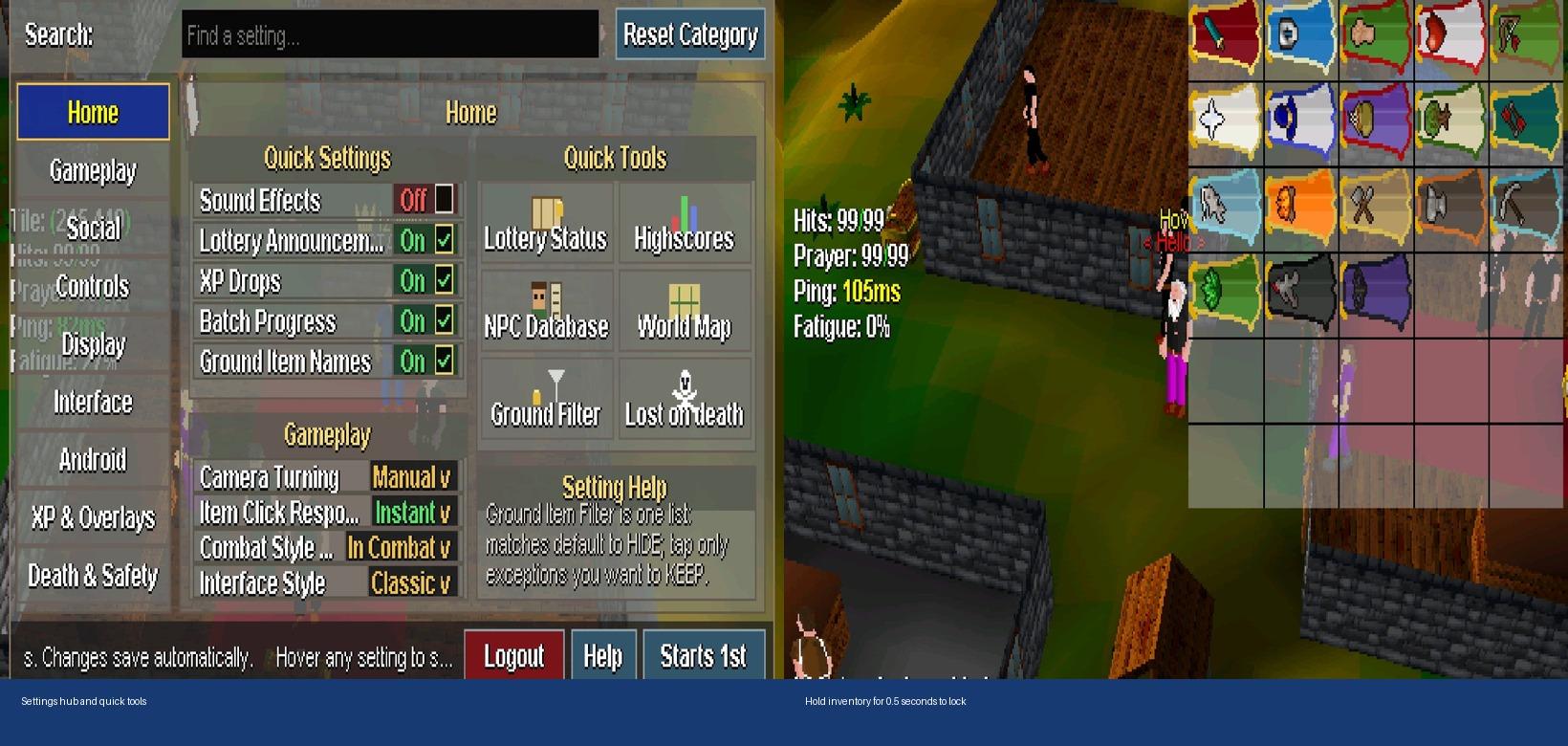
1. Open Settings. Home is where you get World Map, Lost on Death, Ground Filter, Highscores, NPC Database, and Lottery Status.
2. Get the controls comfortable - mouse/tap, camera, display scale, interface style. Change the rest later.
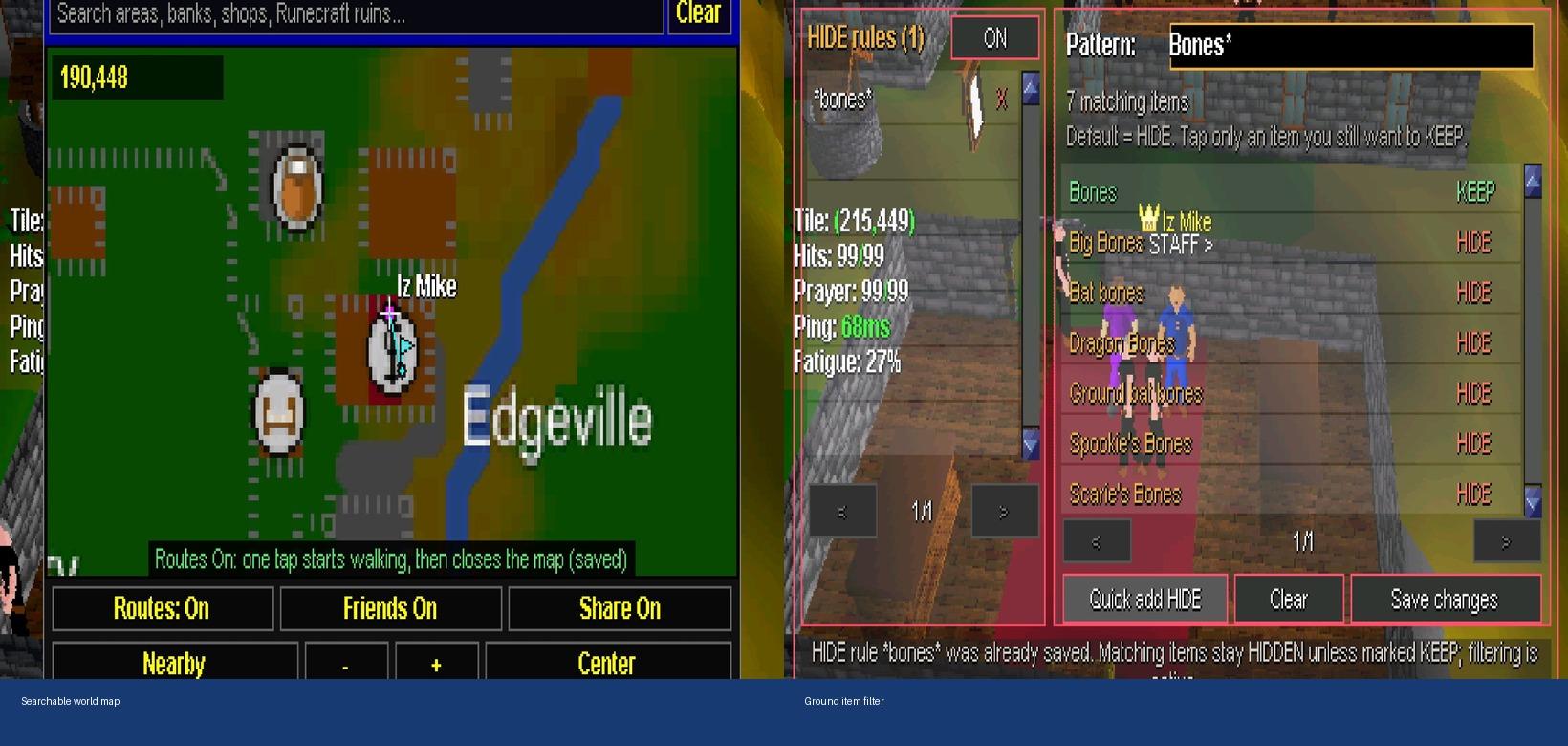
3. Open the World Map and find a bank, shop, or training spot. Turn on map routes if you want a tap on the map to start walking.
4. Protect what you are carrying. Learn Inventory Lock, then check Lost on Death before anything risky.
5. Pick something simple to do first - questing, gathering, combat, or a skill - and use the sections below when you need a tool.
________________
SETTINGS AND EVERYDAY CONTROLS
Settings is the fastest way to change how the game feels. It is searchable, and changes save automatically.
Start with what you use every session:
* Controls - one- or two-button input, camera, item-click response
* Display and Interface - scale, rendering, layout, menu visibility
* Android - hold, swipe, zoom, and text options if you play on phone/tablet
* XP & Overlays - how XP and batch progress show up
* Death & Safety - death preview and Wilderness warnings before you take risks
Tip: search by setting name instead of clicking every category. A setup you like matters more than changing everything day one.
Screenshot
________________
GETTING AROUND AND GROUND LOOT
World Map
* Search areas, banks, shops, and RuneCraft ruins.
* Turn on World Map Routes if you want a map tap to walk and close the map. Turn routes off when you only want to look.
* Use zoom, recenter, nearby locations, and friend/location detail toggles as needed.
Ground Item Filter
* Add a pattern like "Bones*" to match a group of ground items.
* Matching items are hidden by default. Mark KEEP on exceptions you still want to see.
* Save after you change the list, and test a broad pattern before trusting it.
Important: the filter only changes what you see. It does not remove items from the ground. Keep important exceptions visible so you do not miss loot.
Screenshot
________________
KEEP YOUR ITEMS SAFE
Inventory Lock
Hold the inventory tab/control for about half a second to toggle Inventory Lock. The HUD shows "Locked" while it is on.
Use it when you are walking, chatting, or reading menus with valuables showing. Unlock on purpose before moving, equipping, eating, or dropping.
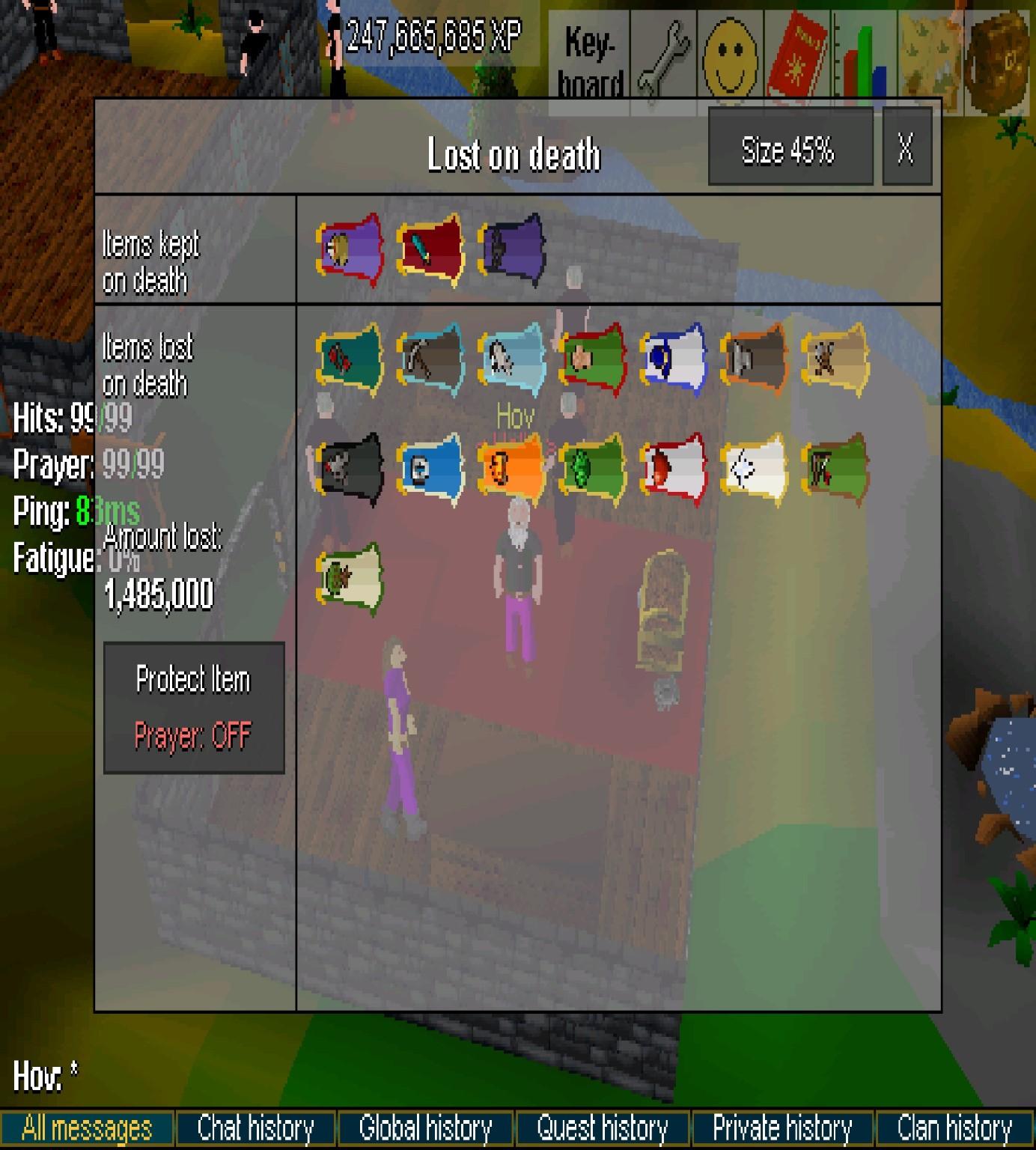
Lost on Death
Open Lost on Death before Wilderness or anything else risky.
* Top row = kept on death. Bottom row = lost.
* It shows value at risk and factors in Protect Item.
* Open it again when gear, inventory, prayer, or destination changes.
Screenshot
Banking and loadouts
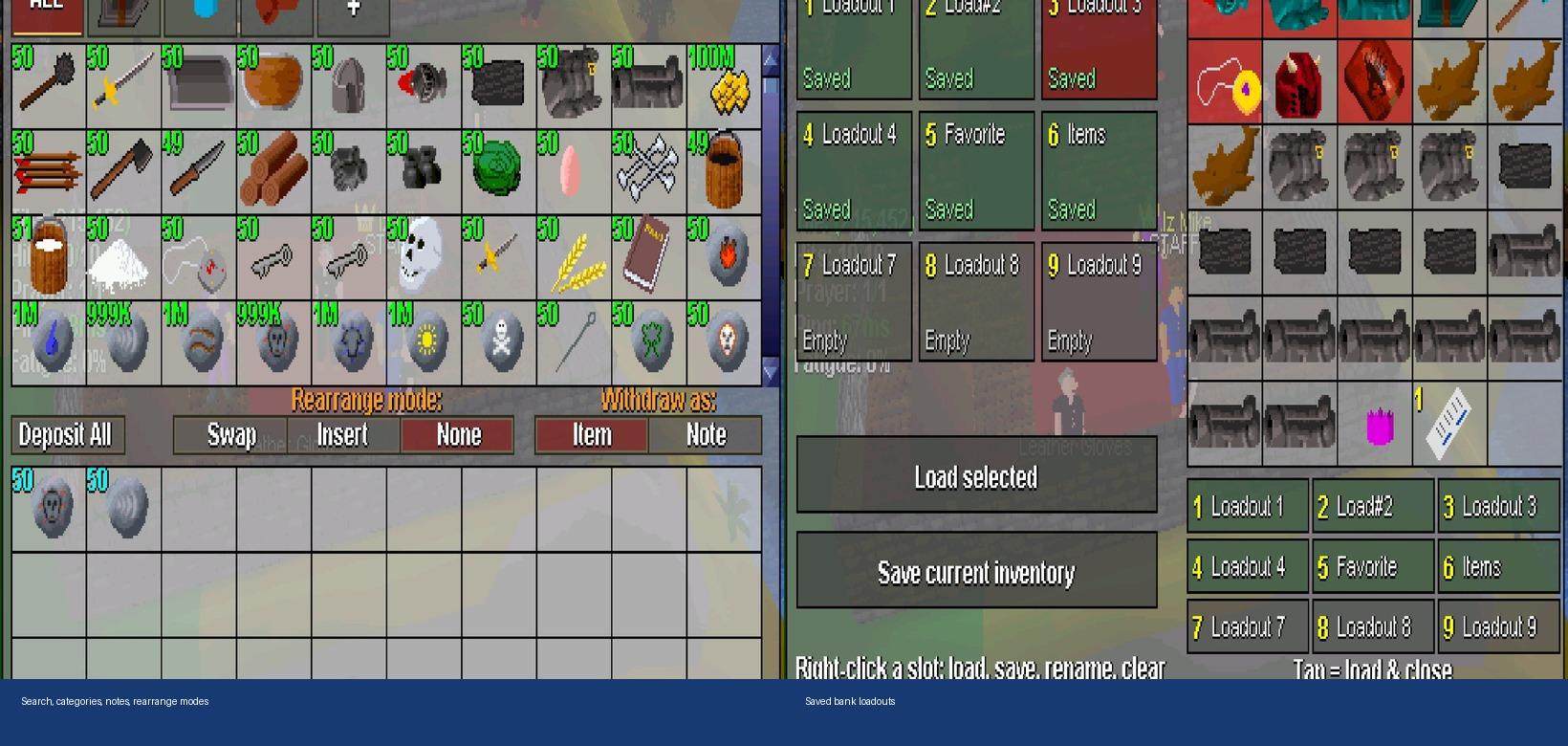
Bank has search, wealth display, item/note withdrawal, rearrange modes, and saved loadouts.
1. Find an item with search or category tabs.
2. Rearrange mode: Swap exchanges slots, Insert shifts items, None leaves layout alone.
3. Use Item or Note when the item supports notes. Item menus also have presets, X, All, and Wield where it applies.
4. Save a loadout after you set up for an activity. Loading checks what you already have and shows what is missing.
Loadout tip: tap a saved slot to load and close; hold a slot for management options. Check the preview before loading for high-risk stuff.
Screenshot
________________
PROGRESS
Quests and quest-right equipment
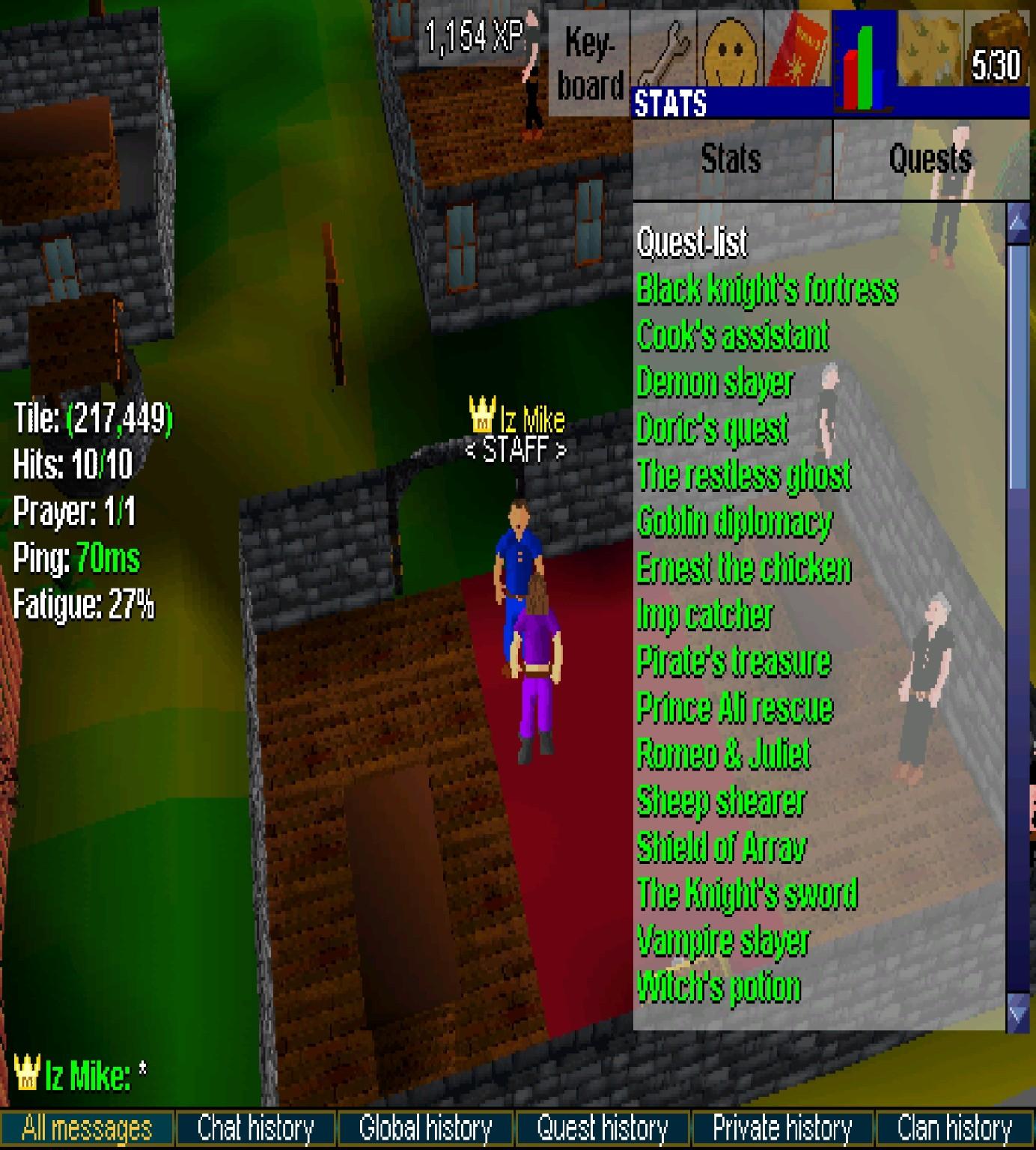
Quests tab shows available and completed quests. Stats tab covers skills, equipment status, quest points, and PvP info.
Some quest-reward gear also has special quest-right unlock routes. Requirements and availability can change, so check in-game info and current announcements before planning around a specific item.
Screenshot
AFK time, batching, and fatigue
Some activities allow limited AFK time and repeated batch actions. Turn on Batch Progress in Settings if you want a progress bar while something repeats.
* Limits depend on account type, activity, and what the game shows right now.
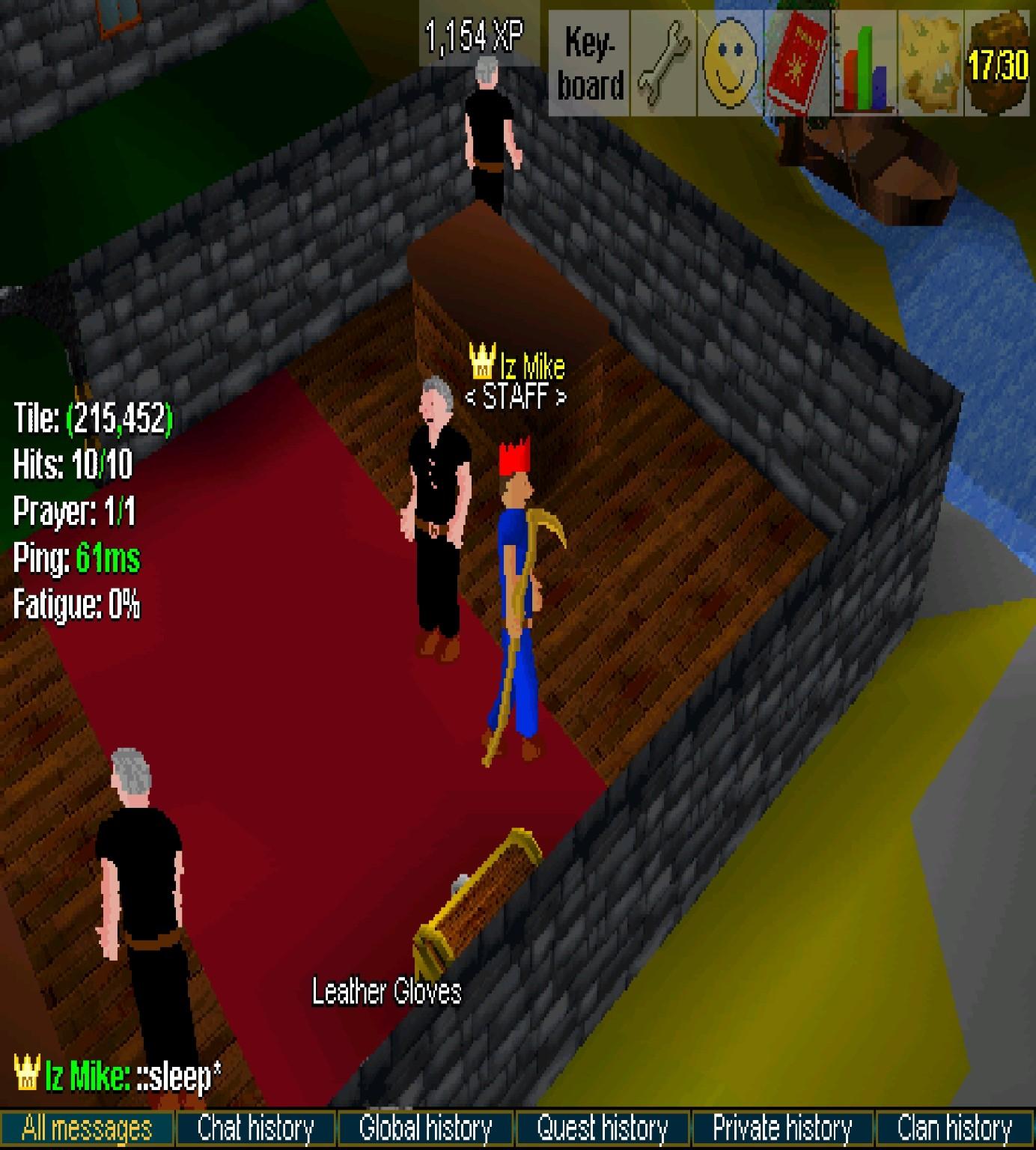
* ::sleep clears fatigue when your account can use it - check the in-game command list or membership info for the current requirement.
* Stop Batch When Full is in Settings if you want a batch to stop instead of dumping overflow on the ground.
Fair play: current in-game limits and rules win. Do not assume an old promo or screenshot overrides them.
Screenshot
________________
FIND PLAYERS AND INFO
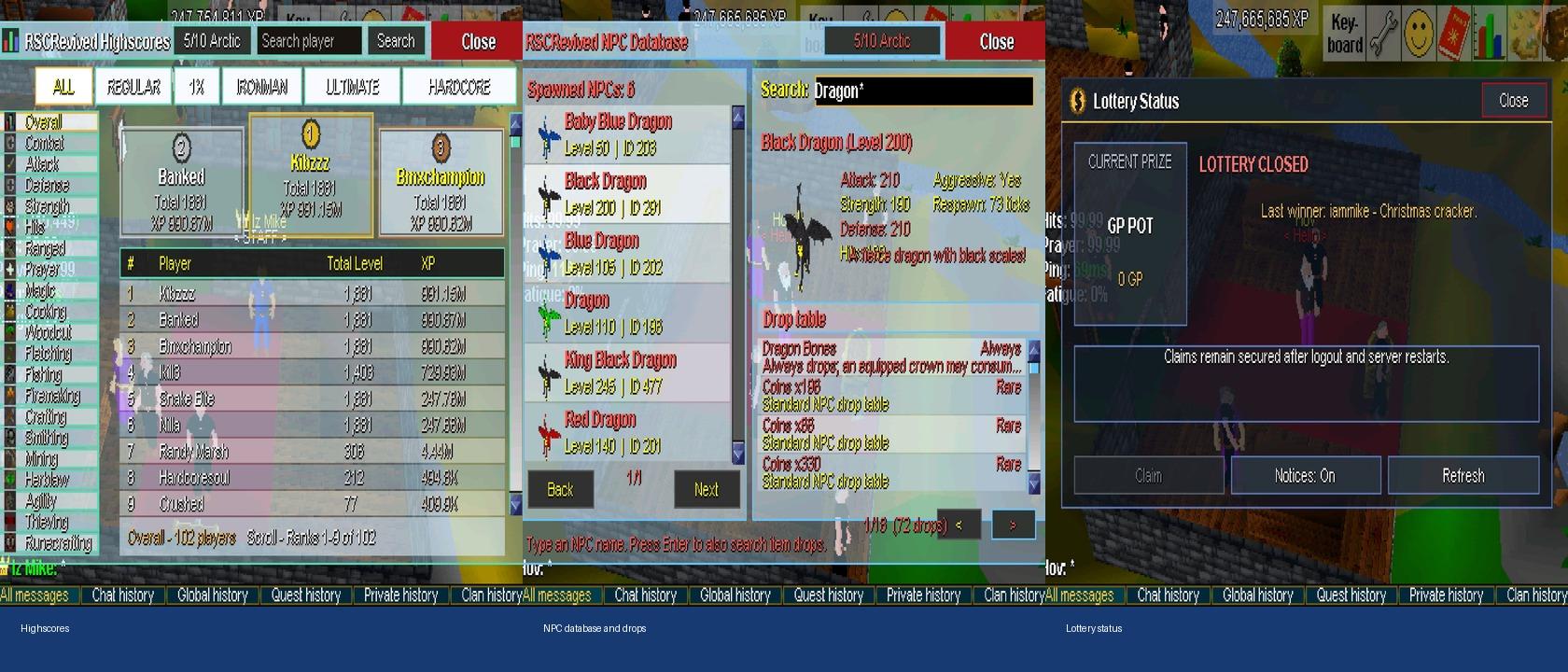
Highscores, NPC Database, and Lottery Status are quick tools from Settings Home.
Highscores
* Filter account modes, pick Overall or a skill, or search a player.
NPC Database
* Search an NPC for combat stats, aggression, respawn info, description, and drop table.
* You can also look up item drops.
Lottery Status
* See if the lottery is open, current prize/GP pot, last winner, and if you have a claim.
* Check here before buying or claiming.
Screenshot
Clans
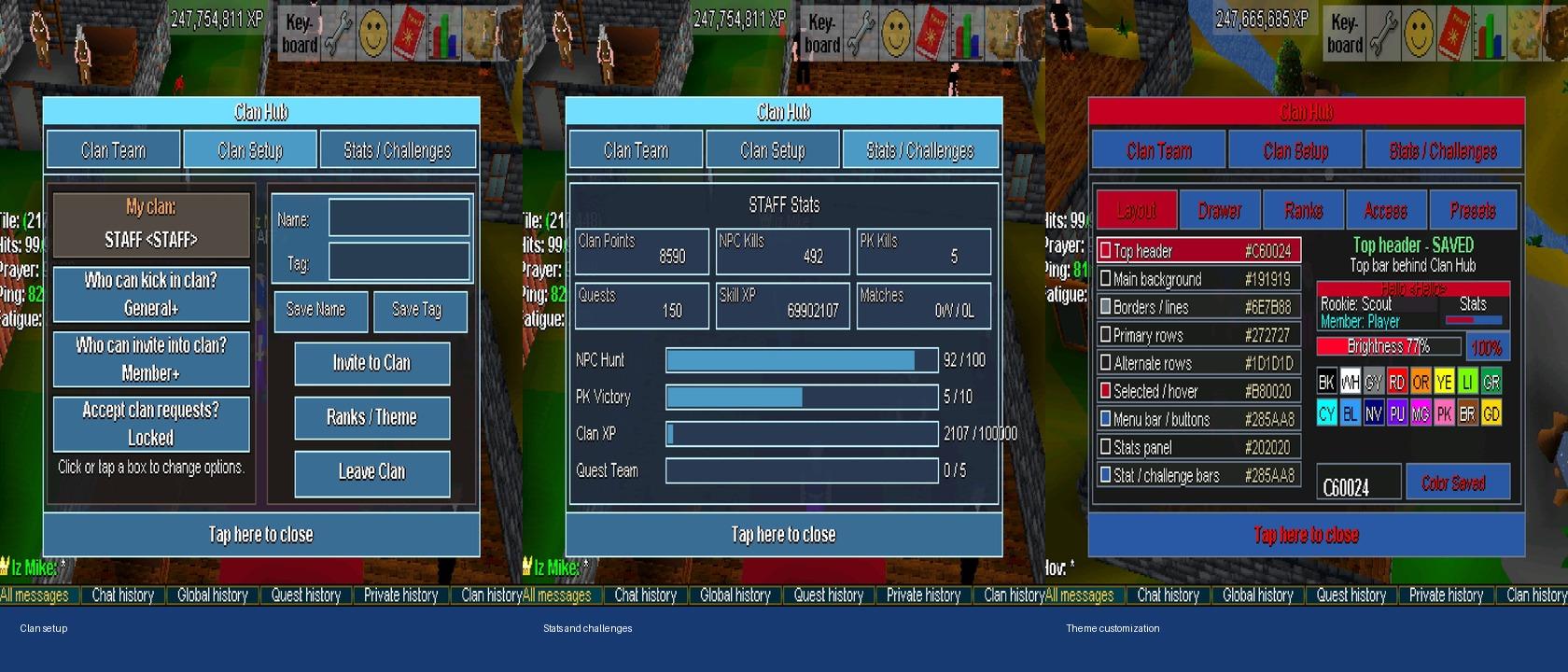
Clans have chat, ranks, membership controls, themes, stats, and group challenges. Optional - join when you want company or shared goals.
Leadership tip: set invite/remove permissions before recruiting. Use the theme preview so rank text and progress bars are readable.
Screenshot
________________
TRADING
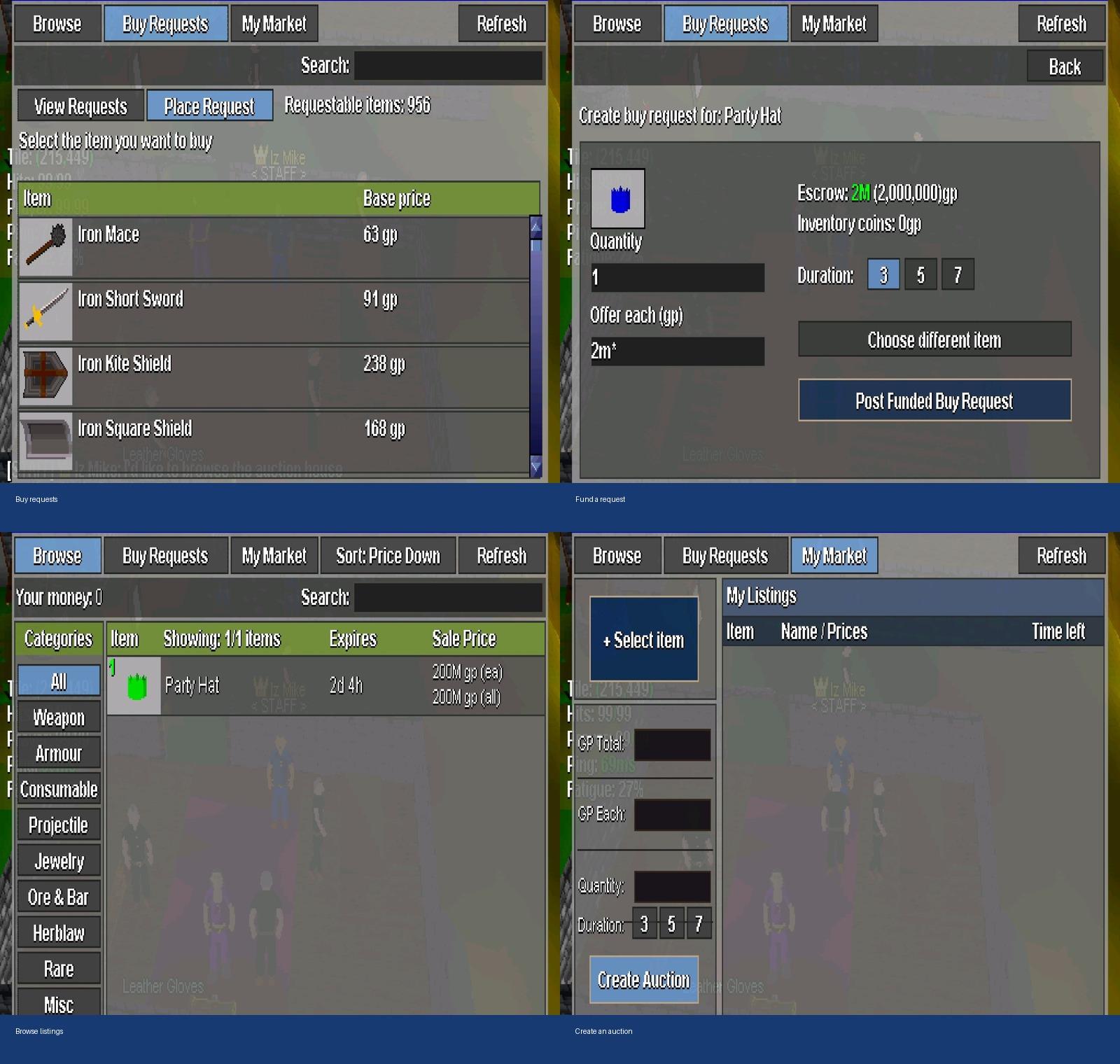
Auction House
Seller listings and funded buy requests. Every offer is priced by a player - read the full deal before confirming.
Buy from a listing
1. Open Browse, then search or filter by category.
2. Check item, quantity, expiry, price each, and total before buying.
Post a funded buy request
1. Open Buy Requests, Place Request, pick the item.
2. Set quantity, offer each, and duration.
3. Confirm escrow and your inventory coins before posting.
Sell an item
Open My Market, pick the item, then set price, quantity, and duration.
Economy safety: double-check K/M abbreviations, total vs each, quantities, and escrow every time. If it looks wrong, cancel before confirming.
Screenshot
________________
COMPETITIVE PLAY (READ THIS LAST)
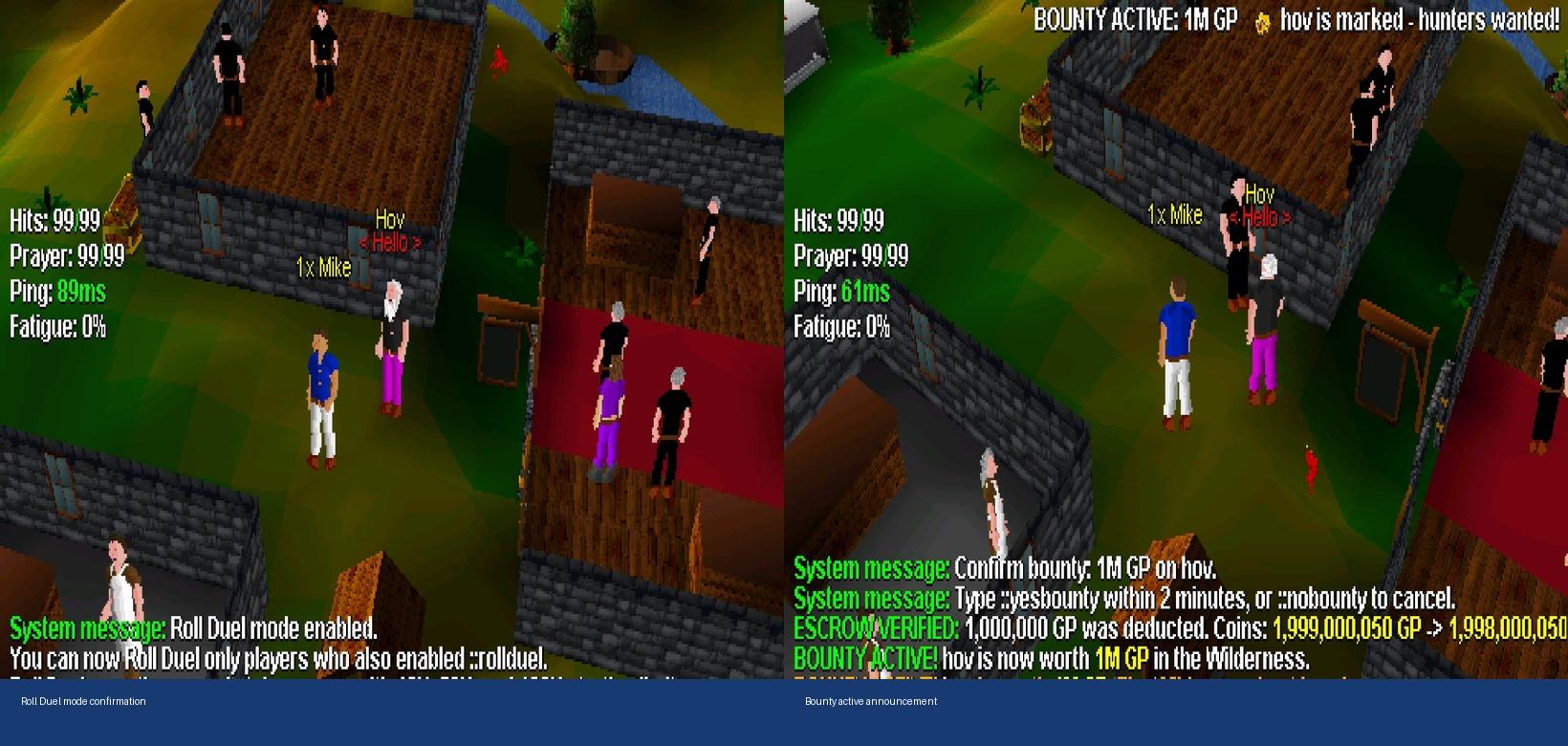
Roll Duels and Wilderness bounties are opt-in and can cost GP or Wilderness risk. Use Lost on Death first. You do not need either system early on.
Roll Duels
A Roll Duel is a two-player, winner-takes-stake coin-flip. No combat. Server assigns Heads/Tails, rolls for you, and moves the losing stake to the winner.
Set one up
1. Both players type ::rollduel or ::rollduel on. Someone who has not enabled it cannot start one with someone who has.
2. Stand near each other and use normal right-click Duel. Both need to be within eight tiles and able to face each other.
3. Add your stake. Your Stake is yours; Opponent's Stake is what they are risking.
4. Pick one starting roll ceiling: 10K, 50K, 100K, or 500K. Both players must show the same ceiling on confirm.
5. Both accept the stake screen, then both accept the final confirmation. Decline before final confirm if something is wrong.
How rolls work
When both confirm, the server randomly assigns Heads and Tails. You do not pick a side.
* Heads always rolls first.
* Rolls alternate.
* Each roll is lower than the current ceiling. If the result is higher than 1, that becomes the new ceiling.
* Roll of 1 ends it - Heads wins.
* Roll of 0 ends it - Tails wins.
Example (10K ceiling): Alice = Heads, Bob = Tails
1. Alice rolls 6,731. Ceiling becomes 6,731.
2. Bob rolls 2,102. Ceiling becomes 2,102.
3. Alice rolls 1. Heads wins - Alice wins the duel.
If anyone rolls 0 at any point, Tails wins immediately. Side assignment and rolls are server-side random. Over a full duel, Heads and Tails have the same chance.
What the winner gets
Winner keeps their stake and gets the other player's accepted stake. Winnings go to inventory first, then bank if needed. Roll Duel wins/losses are tracked separate from normal duels.
Important: if the server cannot safely finish payout, it restores both stakes. No death or combat damage in a Roll Duel.
Before you accept
* Confirm opponent name, every item/qty, and starting ceiling on the final screen.
* Do not stake more than you can lose - the final roll is random.
* ::rollduel off puts right-click Duel back to normal duel rules.
Wilderness bounties
* ::bounty player amount starts a public bounty. Target must be online and you need the coins.
* ::yesbounty within two minutes confirms, or ::nobounty cancels before coins leave.
* Confirmed bounty applies to Wilderness kills. ::bountyhelp covers checking a target, history, and refunds.
High risk: verify player name, amount, stake, inventory, and death preview before confirming anything competitive.
Screenshot
________________
QUICK REFERENCE
* Setting? Open Settings and search the name.
* Destination? World Map - enable routes if you want, then tap where you are going.
* Accidental item clicks? Hold inventory tab/control half a second for Inventory Lock.
* About to risk gear? Open Lost on Death after your final setup.
* Repeating an activity? Batch Progress on, and maybe Stop Batch When Full.
* Monster or drop lookup? NPC Database from Settings Home.
* Buying/selling? Auction House - confirm totals and escrow.
* Looking for people? Highscores, social settings, or a clan.
KEEPING THIS CURRENT
The game changes. For live rules, events, connection help, subscriptions, and support, use current in-game info and official announcements.